
Pain
Monitoring demands time; technical language makes it harder to interpret the system.
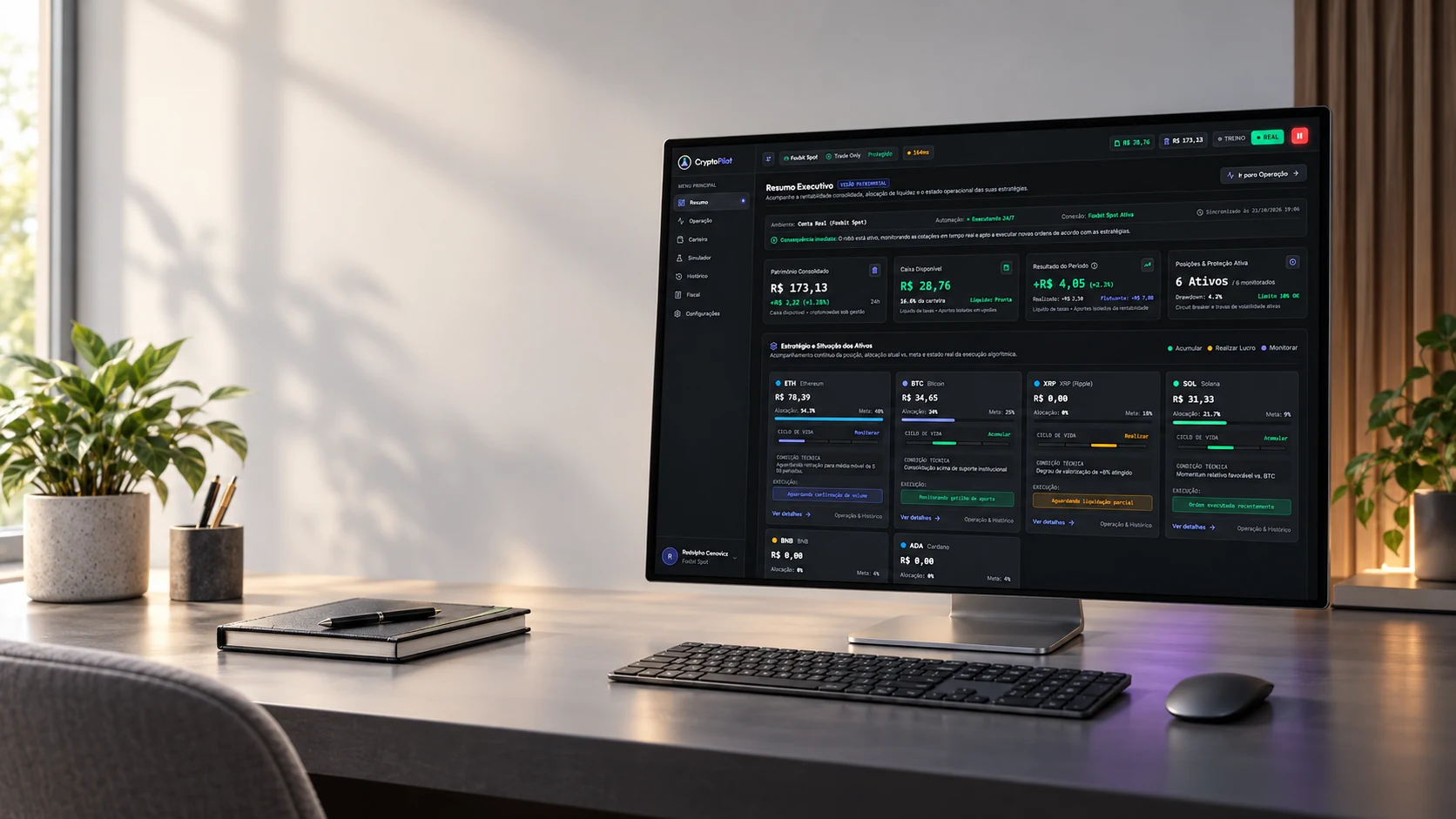
From a personal investing need to a task-based workspace for following the portfolio, inspecting execution and managing positions with visible human controls.
I was investing in crypto assets but could not follow the market actively. Missing decision windows pushed me into a buy-and-hold strategy by circumstance rather than choice. The initial question was how to delegate monitoring and execution while retaining visibility and control.
I built the project independently: problem framing, AI-assisted research, product definition, UX/UI, implementation, exchange integrations, tests and continuous refinement.
The initial profile comes from my own experience, not a validated external persona: an investor who can allocate capital but lacks time to monitor markets and wants to understand what an automated system is doing.
Monitoring demands time; technical language makes it harder to interpret the system.
When I cannot monitor the market, help me follow a defined strategy and understand when the system acts or waits.
Automation becomes useful when decisions, constraints and intervention are understandable.
Personal use and acceptance testing guide iteration; broader usability and business impact remain to be validated.
The first version focused on recurring accumulation (DCA). Testing the concept against my original need showed that automatic purchases alone were insufficient. I expanded the scope to trading, including exit rules and partial sales intended to make capital available for subsequent operations.
This changed the design problem: the interface had to distinguish available cash, portfolio value and realized results, and explain both executed orders and blocked opportunities.
The experience connects setup, experimentation and operational supervision. Training/Real identifies the execution environment. The current task-based navigation separates overview, operation and position management; earlier versions used Simple/Pro views.
Identify the exchange and connection state.
Define assets, allocations and operating limits.
Observe simulated execution with market data.
Review actions and vetoes; intervene or pause.
Key questions: Which exchange is connected? Is this simulated or real? What can the agent do? Why did it act—or wait? How can I stop it?
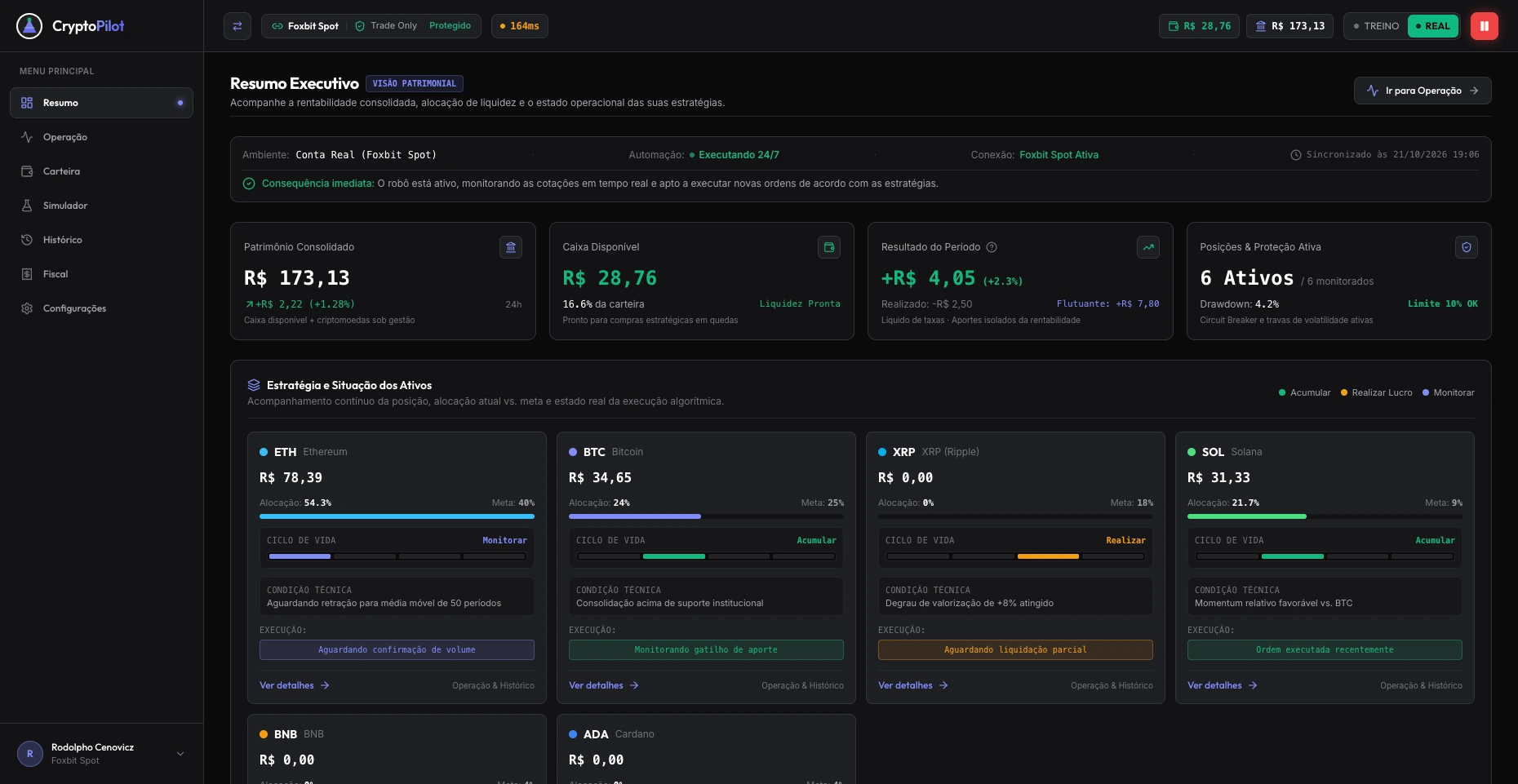
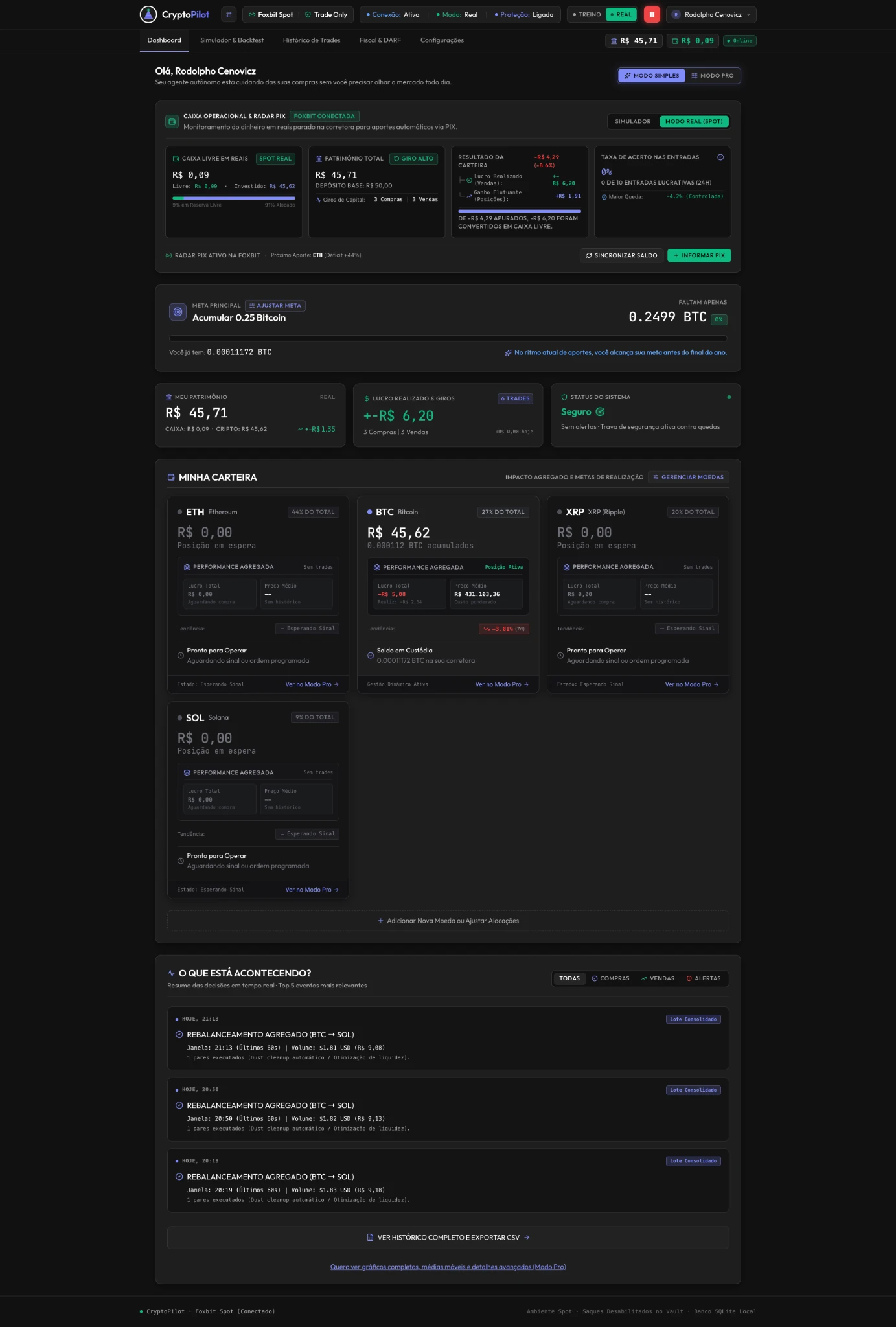
The first simplification used Simple/Pro views. As the product grew, the design evolved toward a different organizing principle: what the user needs to do. A persistent sidebar now separates Summary, Operation, Portfolio, Simulator, History, Tax and Settings.
Summary answers the first supervisory questions: portfolio value, available cash, period results and the state of each asset. Allocation, target and execution status stay together, with a direct path to operational detail.
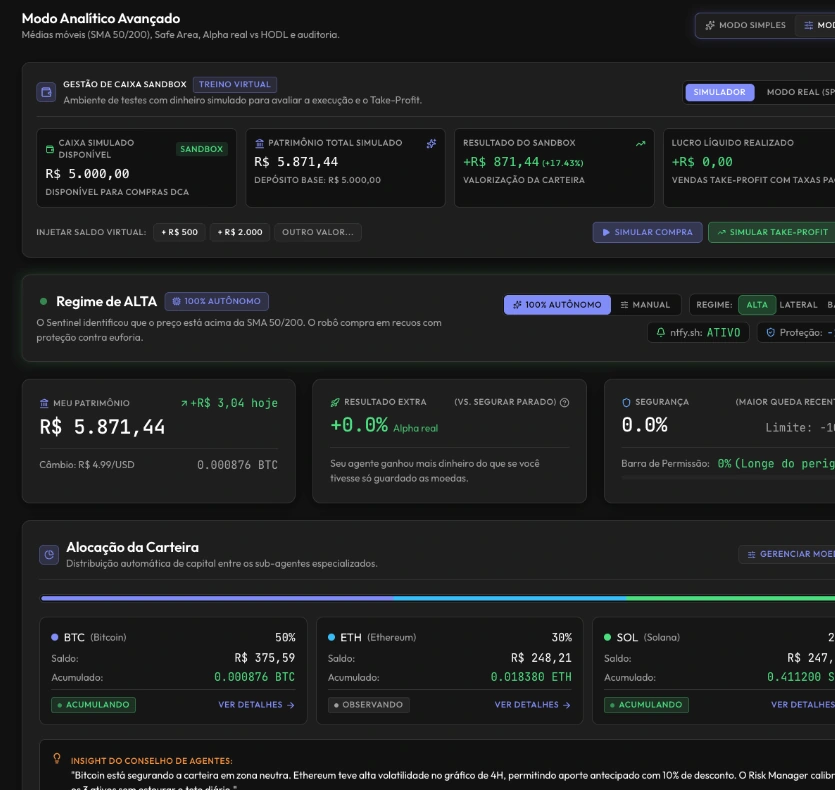
The earlier interface used Simple/Pro views to vary information depth within a dashboard. These captures document the path to the current task-based navigation; they are not the latest layout.


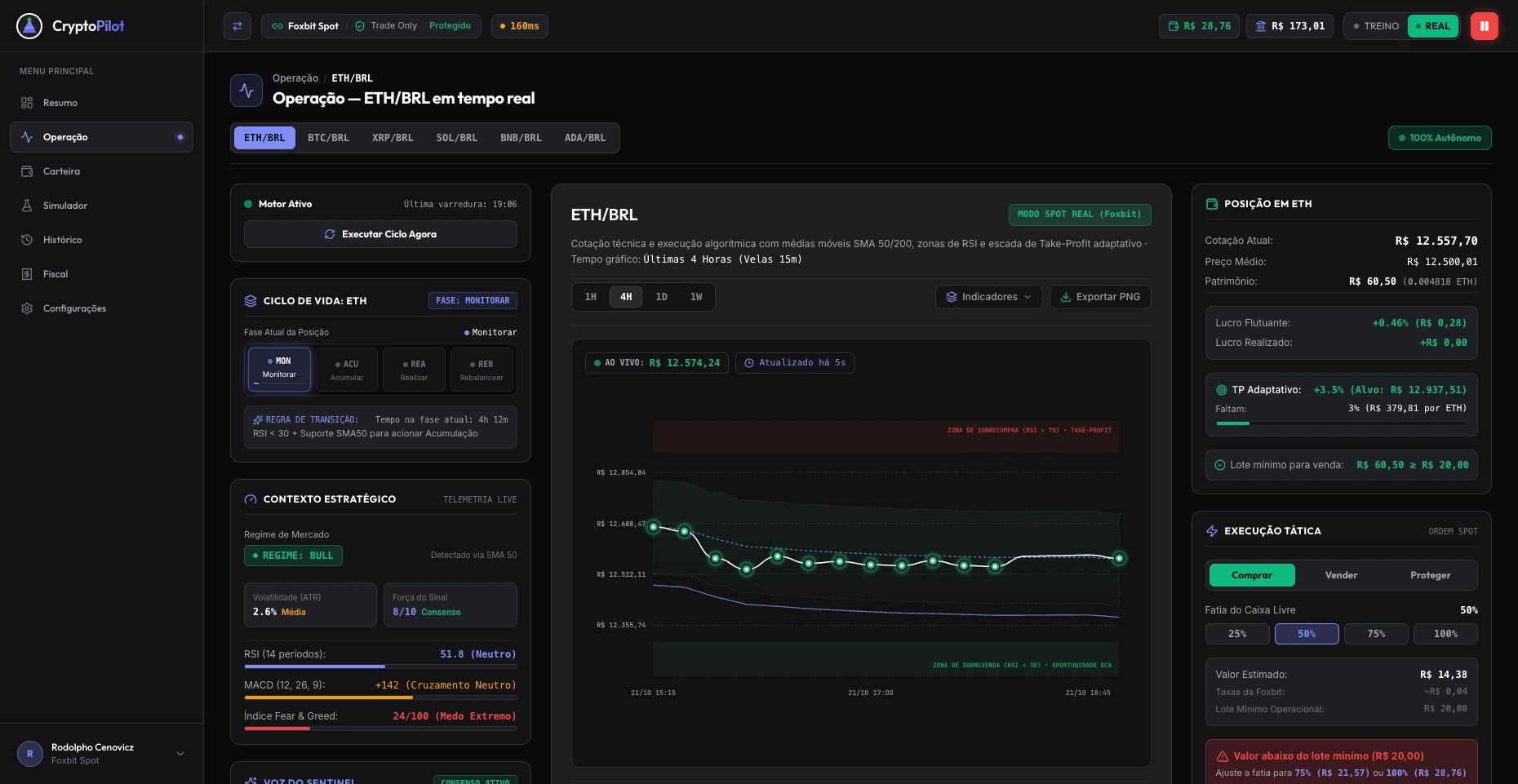
Operation groups the selected asset’s lifecycle and market context on the left, its chart in the center, and position details and tactical controls on the right. Switching assets preserves this structure, so inspection follows the same sequence.
The decision was to place execution constraints beside the action they affect. Available cash, the selected purchase share and the minimum order requirement appear together; in this capture, an insufficient amount produces an explanation and alternative shares. Training/Real and pause remain in the persistent header.
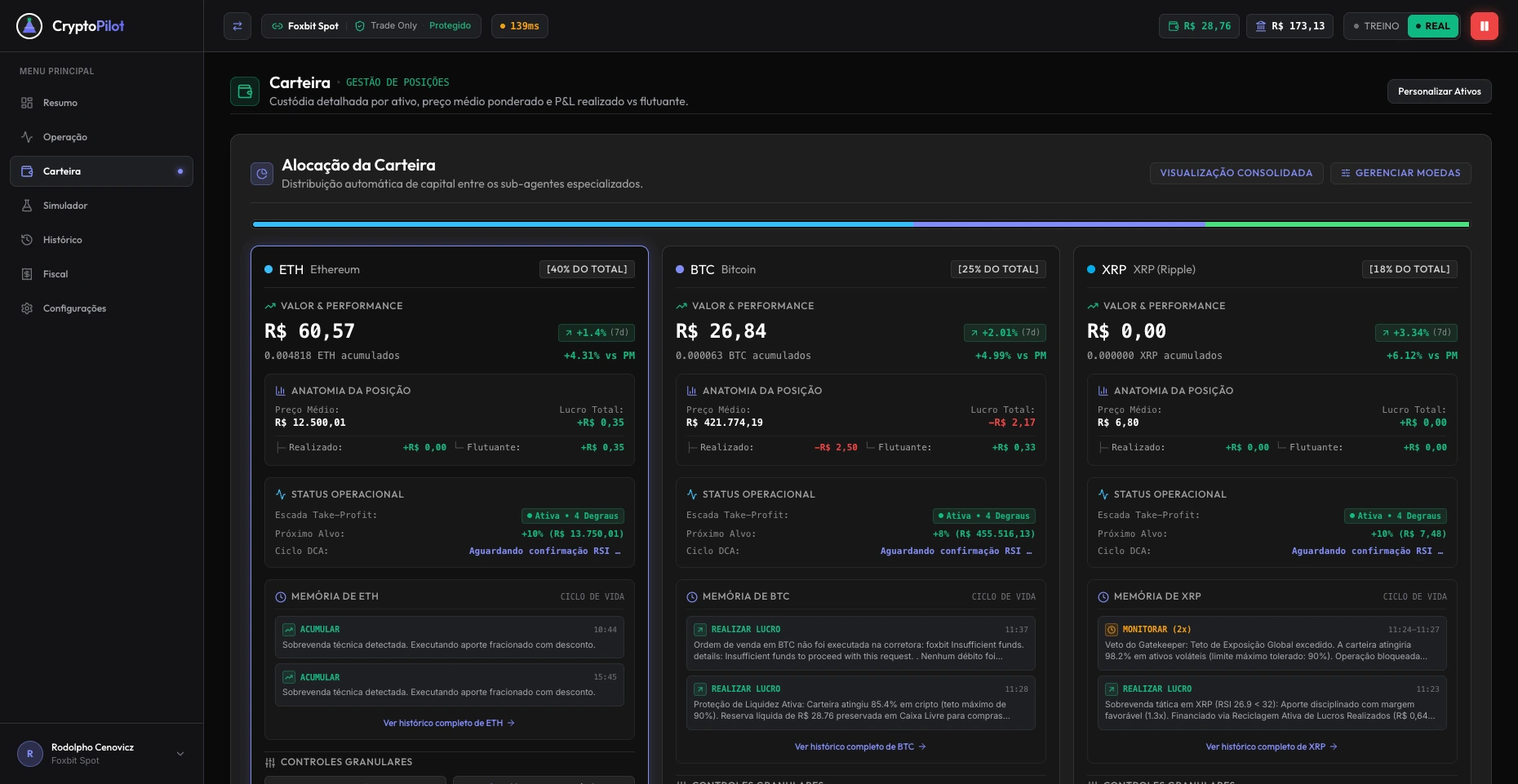
Portfolio gives asset management its own workspace. Each card connects allocation, quantity, average price, realized and unrealized results, operating state and recent events. This supports the question “What is happening to this holding?” without requiring the user to assemble it from the trading chart.
The asset becomes a stable unit of information across Summary, Operation and Portfolio. The emphasis changes with the task: overview first, execution context next, and position history and controls when deeper inspection is needed.
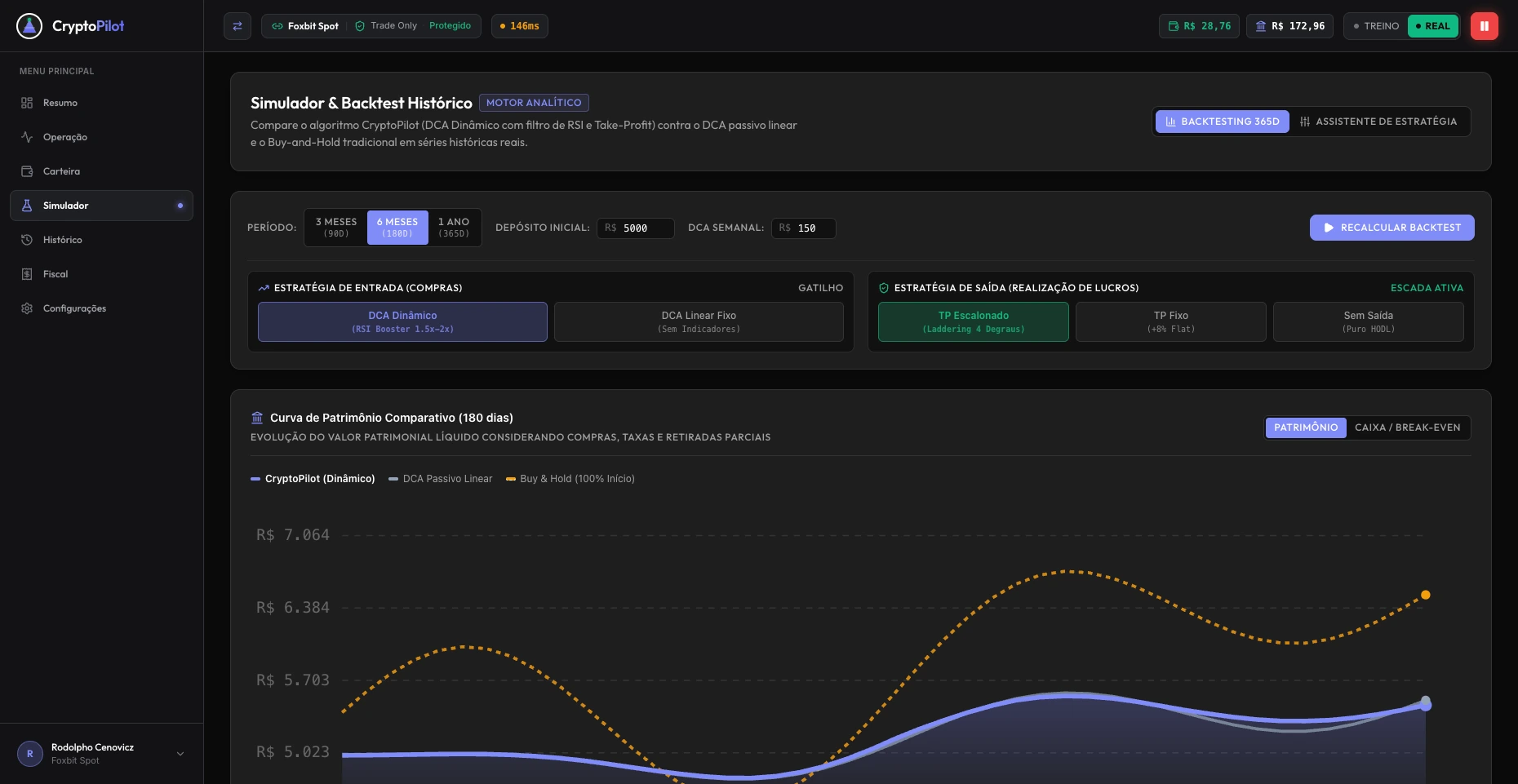
Simulation grew beyond a user feature. It became a way to feed market observations into testing, inspect strategy behavior, identify bugs and refine the engine. Historical backtesting compares strategies over a selected period; paper trading observes simulated orders as the system operates.
I asked for return and maximum drawdown to be shown together, with risk prioritized. Later, I questioned comparisons that made the bot appear less effective than ordinary DCA. This raised the need to explain the trade-off between return, exposure, realized results and operating costs.
In the current workspace, the inputs and comparison share one sequence: choose the period, set capital and recurring contributions, select entry and exit behavior, then recalculate. Keeping these assumptions close to the chart makes the comparison’s configuration inspectable.
Earlier capture · 12 October 2026. Retained as evidence of the simulator’s evolution; its configuration and results belong to a different run.
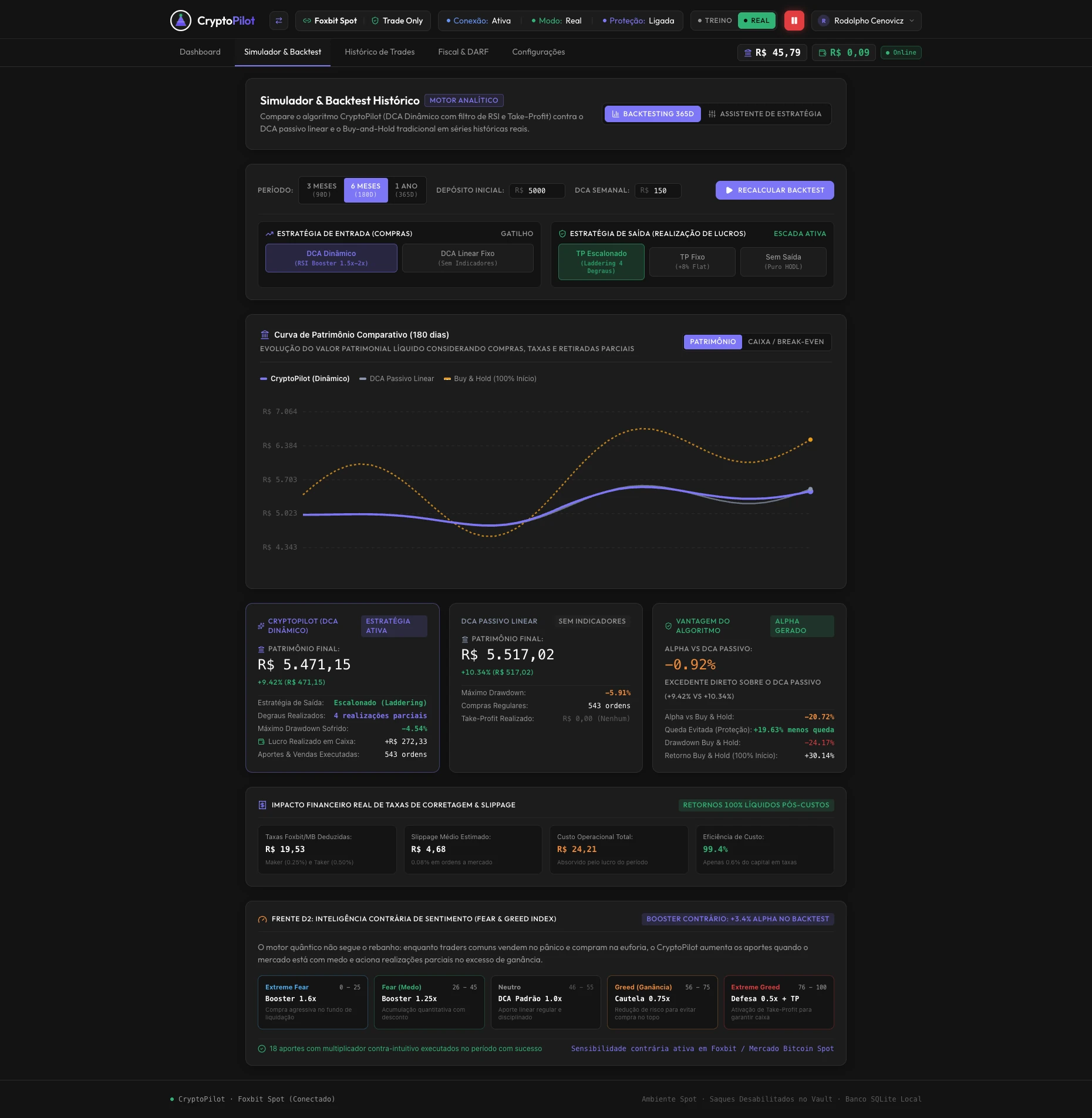
Real market data does not mean real-money execution. The records support a test–observe–refine cycle; automatic model training or self-improvement has not been established as an outcome.
The operating council separates market context (Sentinel), asset-specific decisions (pilots) and risk validation (Risk Manager). The interface exposes their state and records why an order was executed or blocked. Waiting becomes a visible operational decision.
Market regime and external inputs inform the cycle.
Asset pilots inspect configured signals and strategy rules.
The Risk Manager checks limits and available cash before execution.
The outcome is traceable in the feed and order history.
These earlier captures show how narrated decisions, vetoes and pause feedback were explored before the current navigation.
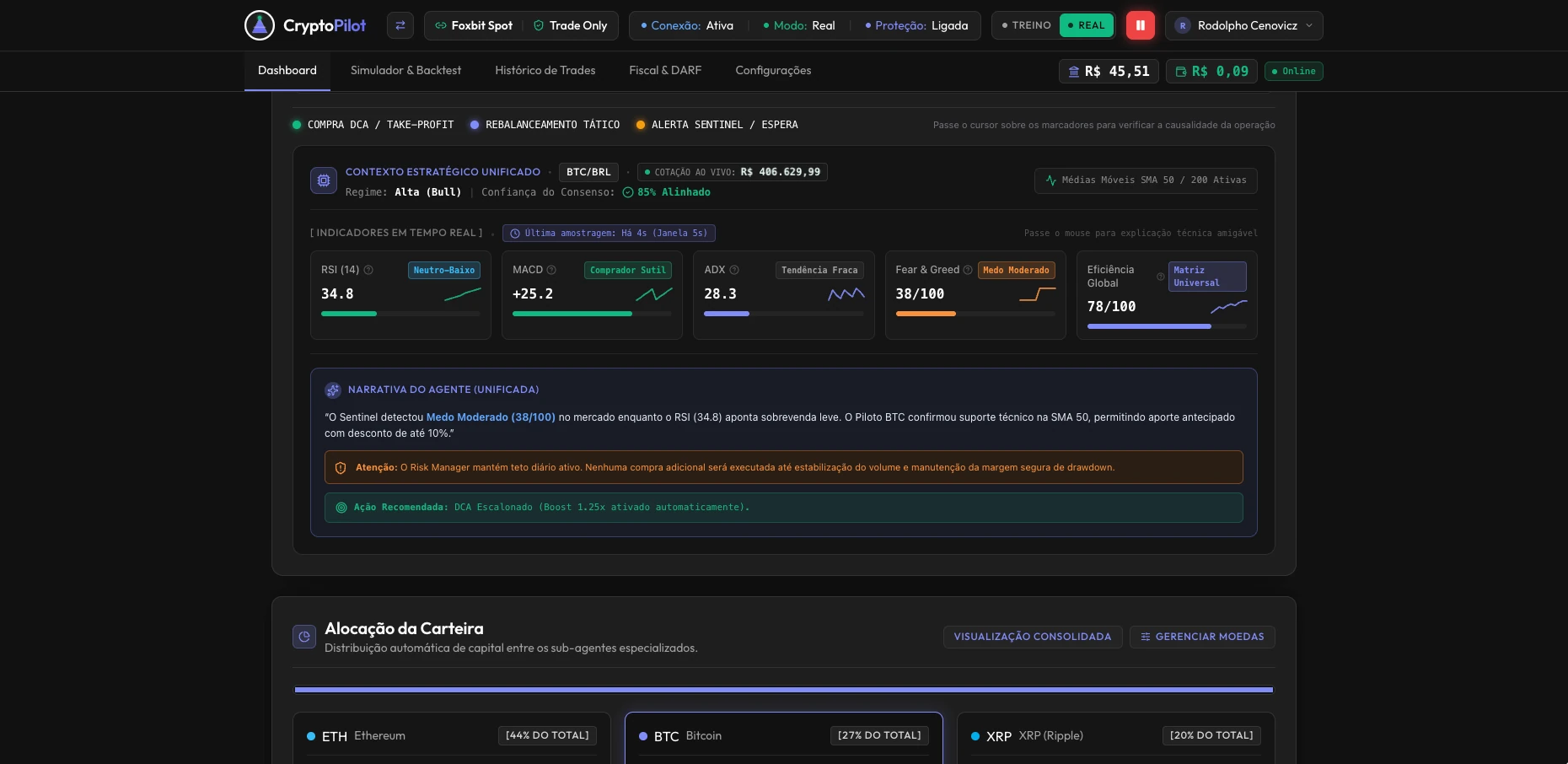
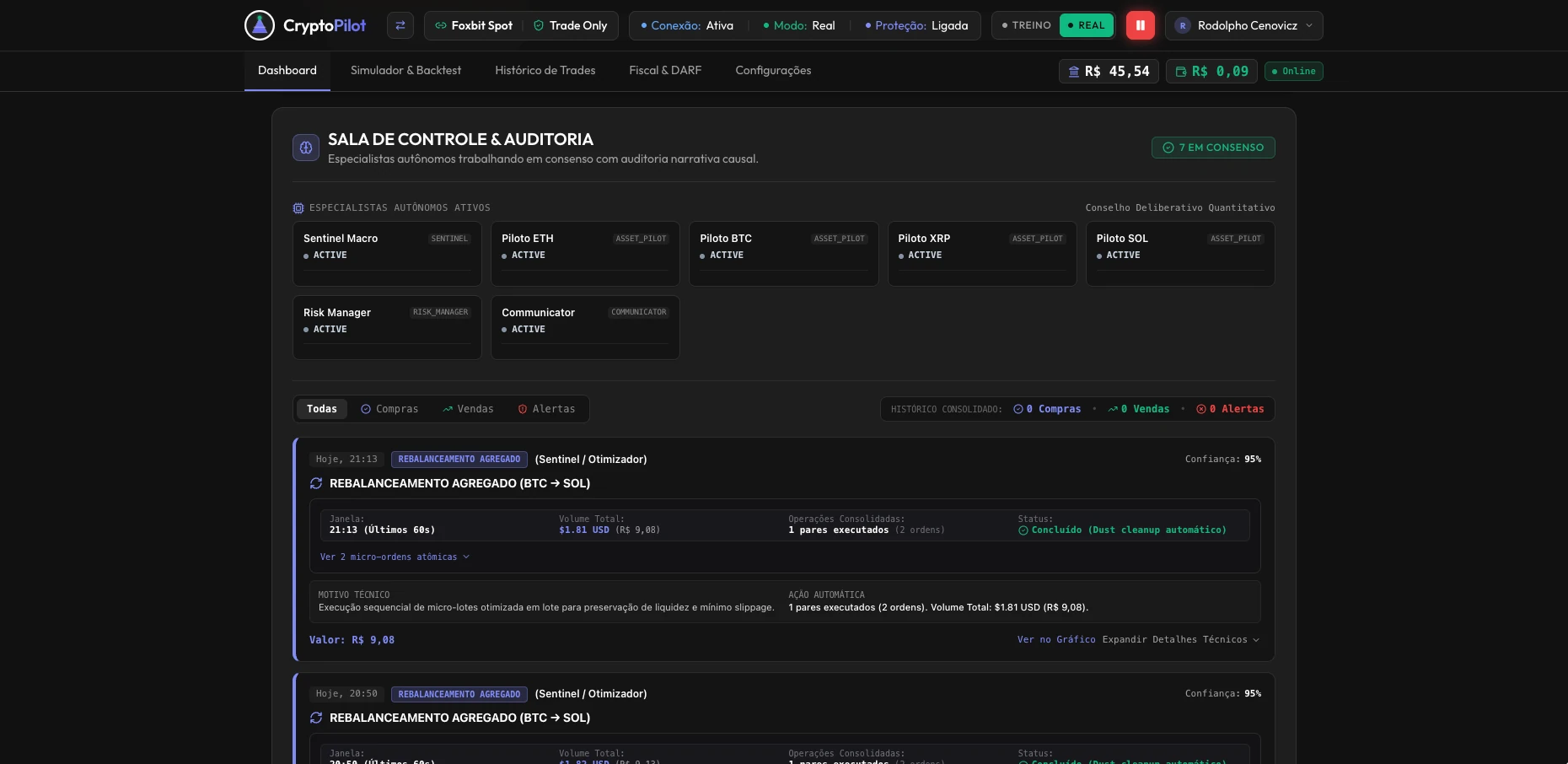
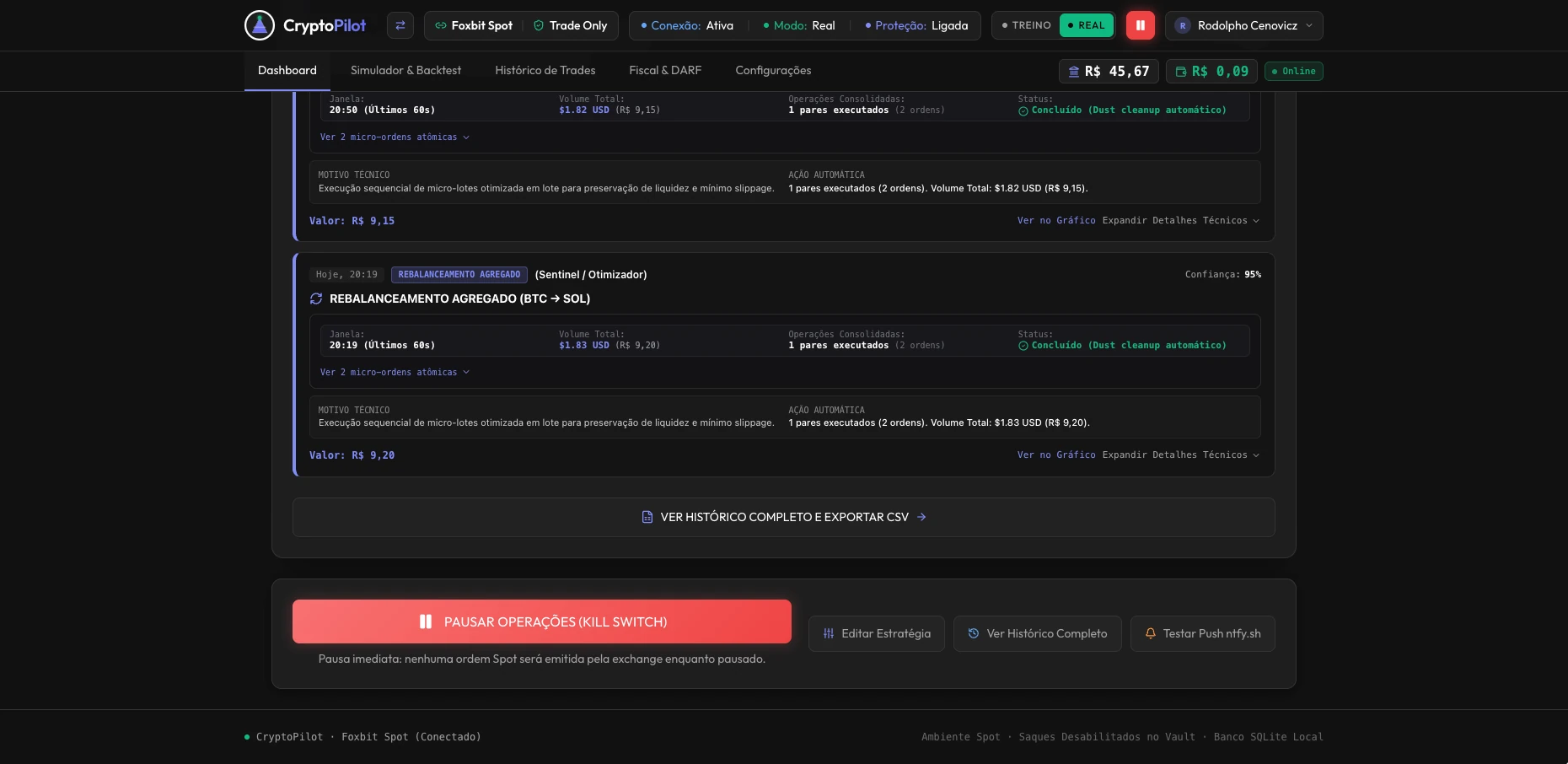
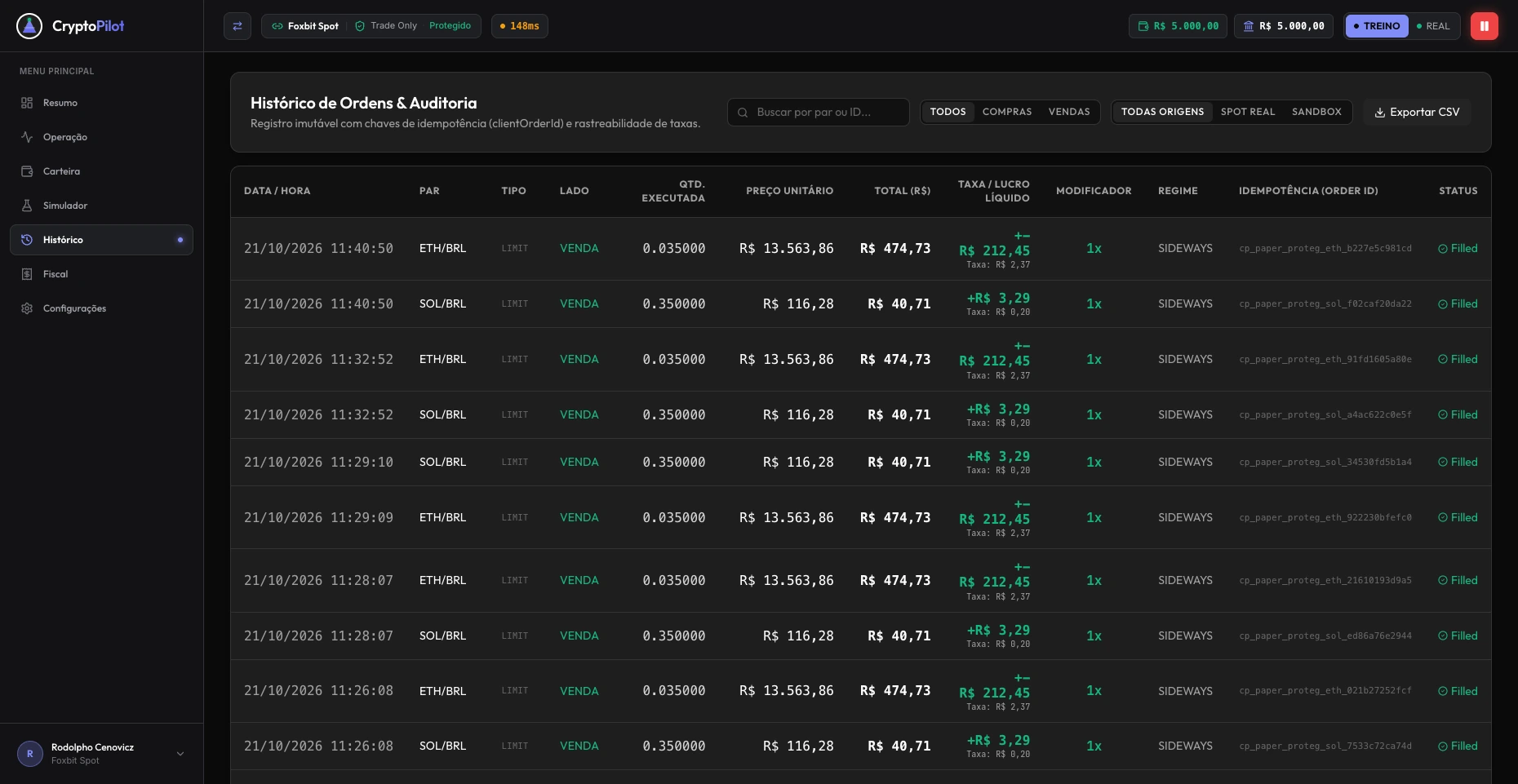
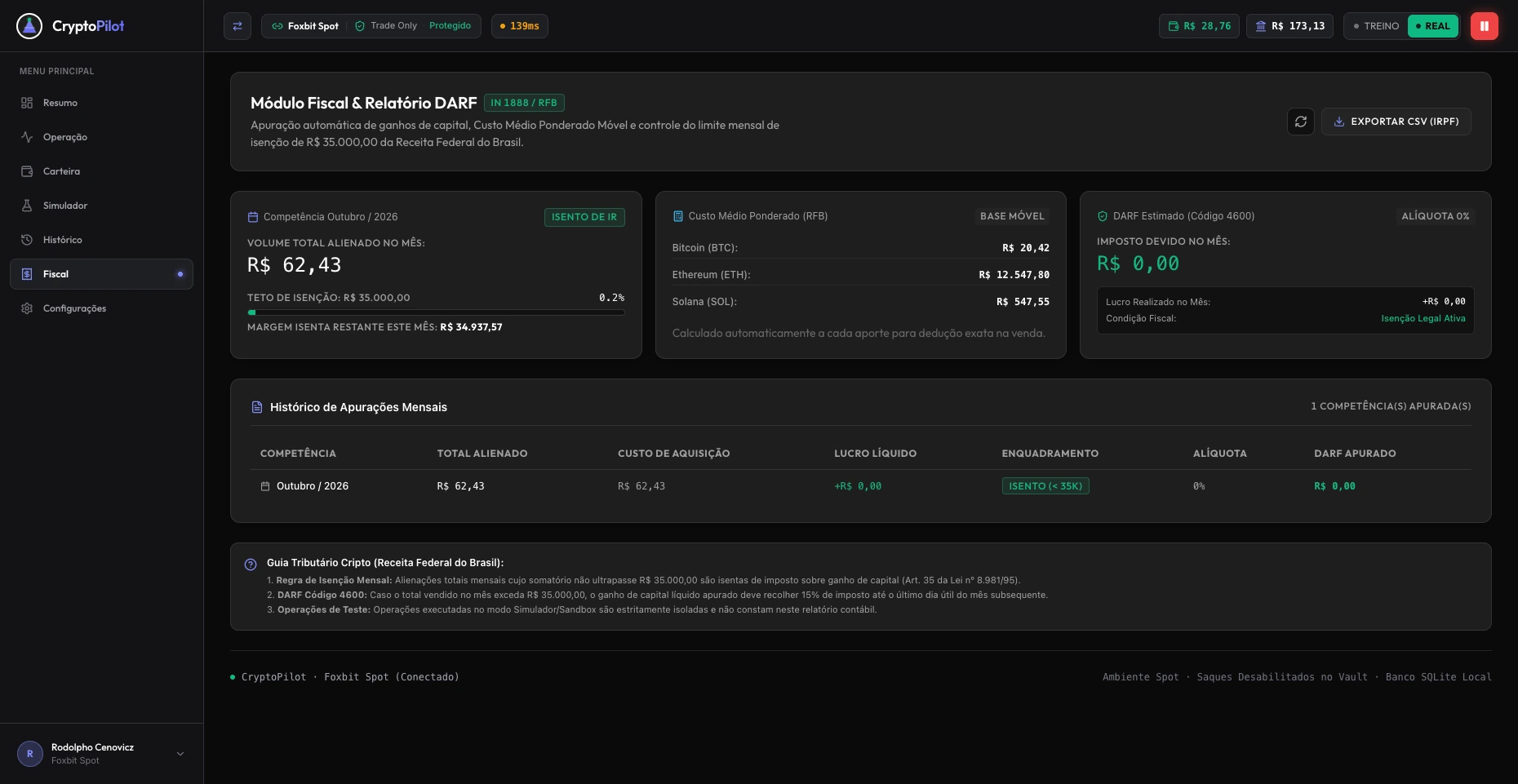
The Tax module extends the experience beyond monitoring and trading. It groups the monthly activity summary, average acquisition costs, the displayed tax estimate, assessment history and a CSV export entry point.
The design decision was to separate a periodic review task from live execution, while keeping its connection to recorded activity. Reconciliation between orders, average costs and exported reports remains a validation priority, including the rules used by the calculation.
Original prompts from my project history. English versions are translations; the decisions were refined across subsequent iterations.
Decision: begin with progressive disclosure in Simple/Pro, then evolve toward separate Summary, Operation and Portfolio workspaces without losing asset visibility.
Is this the best way to structure the interface for someone unfamiliar with the subject? And how can they know which cryptocurrencies the bot operates?
Decision: consolidate interpretation and organize the dashboard around context, holdings, monitored conditions and audit history.
These agent insights seem fragmented and should appear in one place, in a more favorable context.
AI supported research, interface exploration, implementation and testing. I revised the DCA-only scope, prioritized risk, preserved asset visibility and consolidated fragmented insights. The quantitative council does not by itself imply LLM inference or continuous learning.
React 19, strict TypeScript, Vite 6, Tailwind CSS v4 and Lucide SVG icons. Custom SVG chart with hover inspection and PNG export.
Node.js/TypeScript, Express and CCXT exchange connectors. SQLite stores orders, allocations, preferences and audit records, separating LIVE from PAPER trades.
The reported implementation uses AES-256-GCM for exchange credentials and server-side authenticated API routes. Credentials remain on the server, outside the browser bundle.
Public exchange REST feeds, Ntfy notifications and a PIX liquidity radar support monitoring and operation feedback.
The current iteration introduces a persistent task-based navigation and dedicated Summary, Operation, Portfolio and Tax workspaces. It builds on earlier Simple/Pro explorations while retaining simulation, order history and intervention controls.
The design intent is to reduce the need to scan one large dashboard for unrelated tasks. This remains a hypothesis: the next checks should measure whether users can distinguish overview from execution, locate holdings, understand blocked actions and identify the active environment.
The screens document product evolution in acceptance testing. Portfolio values, returns and tax estimates shown in them do not establish investment performance, calculation accuracy or measured usability gains. Reconciliation across summary, positions, orders and reports is a priority.
The main learning remains: delegating execution requires designing understanding. Information architecture, visible constraints and an accessible intervention path are part of the automation experience.